


Skip to content
Dueform

Invoicing for independent work

From finished workto paid invoice.

Keep the money side of client work clear. Draft polished invoices, send timely reminders, and know when every project is settled.

Demo product copy for a commercial website template.

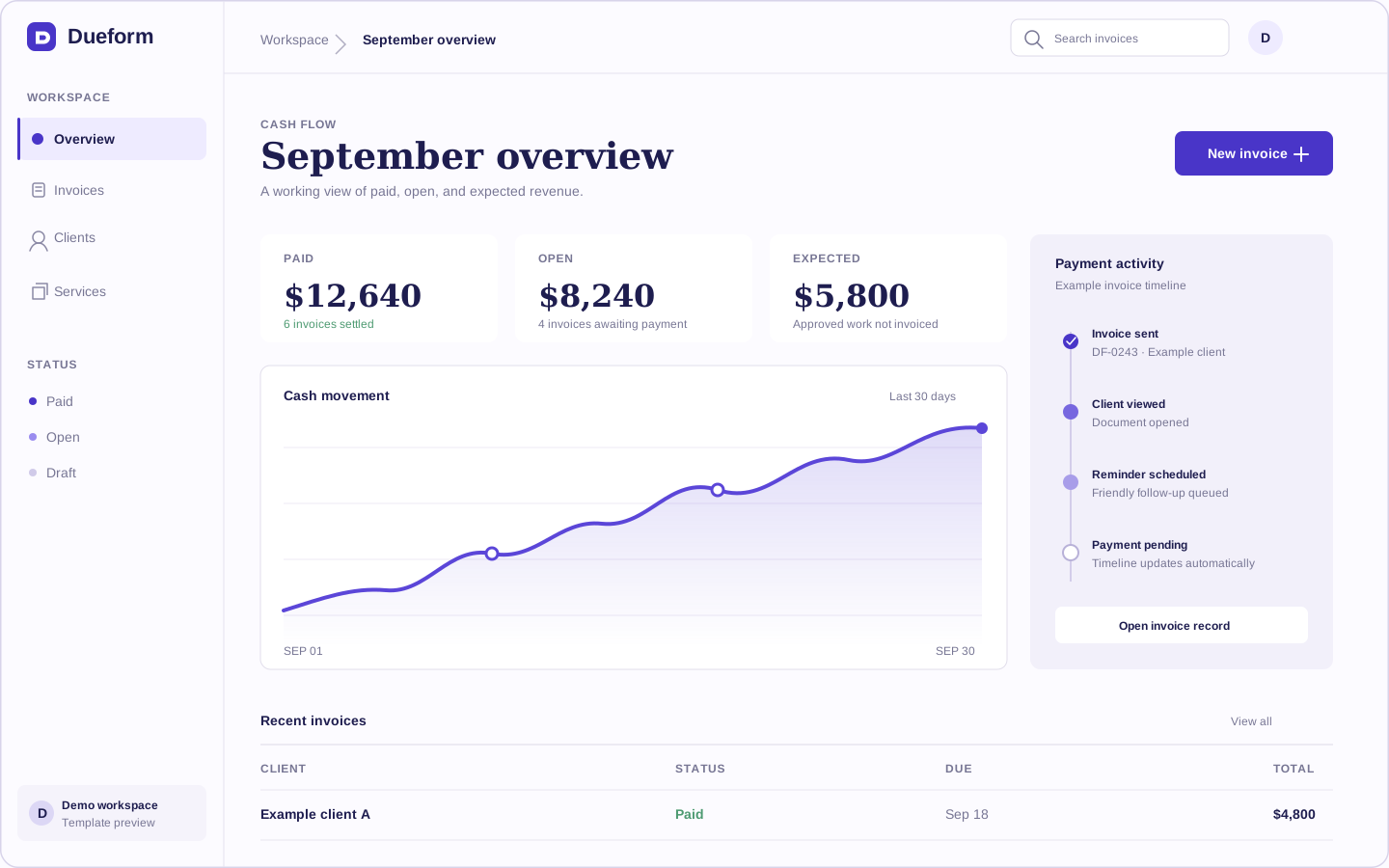
Dueform dashboard showing cash flow, invoice statuses, recent invoices, and payment activity in one workspace
Demonstration interface and data. Replace with your product before publishing.

Placeholder customer logos

The full payment trail

One calm record from draft to deposit.

Dueform keeps each decision attached to the invoice, so you spend less time reconstructing email threads when a client asks what happened.

  1. Draft

    Shape the invoice

    Start with saved services, clear terms, and a document that reads like your studio.

  2. Review

    Check it once

    See the client view before sending and catch missing details while edits are still easy.

  3. Sent

    Keep the thread tidy

    Send the invoice and schedule a considerate reminder from the same record.

  4. Paid

    Close the loop

    Record payment, send confirmation, and leave the project history complete.

Inside the working record

The invoice is the beginning of the record.

Dueform keeps preparation, follow-up, and forecasting connected instead of scattering them across documents and reminder lists.

Prepare

Start from the work, not an empty document.

Save the services, terms, and details you use repeatedly. Change what is specific to this project, then send.

Follow through

The payment trail stays attached to the invoice.

No separate reminder spreadsheet. The useful history remains readable from the moment an invoice leaves your desk.

Example activity

  1. 01Sent to clientComplete
  2. 02Opened by clientComplete
  3. 03Follow-up scheduledUpcoming
  4. 04Payment recordedPending

Read the month

Cash flow shown as a working forecast.

Separate money already received from invoices still open and work expected later. The distinction matters more than a decorative total.

Invoice DF-0242

Website direction

Due Friday

Sent

Sep 8

Viewed

Sep 9

Reminder

Sep 12

Scheduled note

A concise check-in that includes the invoice and payment details again.

Follow-up without friction

Stay clear without sounding cold.

Schedule reminders around the due date, keep the wording in your voice, and stop sending messages once payment is recorded.

Read the product principles

Example plans

Pricing that starts with how you work.

Two clear choices keep the decision proportionate to a small business. Replace the example pricing with your product's real plans.

For independent work

Solo

$12

per month

Example pricing for freelancers who invoice under one business name.

  • Unlimited draft invoices
  • Payment reminders
  • Expense records
  • Client directory
Create your account

For small creative teams

Studio

Studio fit

$29

per month

Example pricing for studios that share billing work across a small team.

  • Everything in Solo
  • Team access
  • Approval notes
  • Shared invoice templates
Create your account

Prices and plan details are demonstration content for this template.

Reserved for real customer voices

Add proof in the words of people who use it.

These moving rows are honest placeholders. Replace every prompt, name, and company with verified customer material before publishing.

Ready when the work is done

Send the invoice while the project is still fresh.

Create your account